


Only 16.3% of the world’s population currently uses AI tools. Of that group, Claude holds just 3.5% of the AI chatbot market. By the numbers, most people haven’t discovered it yet and most of those who have are probably using it the same way they use everything else: type a question, get an answer, close the tab.
But here’s what the usage data actually shows. Claude users spend an average of 34.7 minutes per session — more than any other AI platform. The people who use it seriously aren’t spending that time typing better prompts. They’re building systems that handle the repetitive parts of their work so they can focus on the thinking.
The conversation around AI tools right now is dominated by MCPs, Model Context Protocol servers that connect Claude to external tools, databases, APIs, and applications. MCPs are genuinely powerful. But for content work, the more important feature is one most people haven’t touched yet: Claude Skills.
New to MCP? Start here. The Definitive Guide to Model Context Protocol →
MCPs give Claude new capabilities. Claude Skills give Claude your standards. For a content pipeline where voice, structure, SEO, and consistency matter on every single piece, the second one is what actually changes your output.
What Claude Skills Actually Are (and What They’re Not)
A Claude skill is a reusable instruction set that lives in a folder and loads automatically when a task matches its description. It’s not a plugin. It’s not a prompt template you paste in. It’s not an API connection.
Want the full technical breakdown of how skills differ from tools? What Are Agent Skills, and How Are They Different from Tools? →
The cleanest way to think about Claude Skills: a prompt is a one-off conversation. You explain your audience, your tone, your format requirements, what to avoid and then the conversation ends and Claude forgets all of it. A Claude skill is a system. You define those standards once, and Claude applies them every time, across every conversation, without you re-explaining anything.
What skills don’t do is give Claude new capabilities it didn’t have before. They give Claude your process — your SEO rules, your editorial voice, your platform-specific format requirements. The difference in output between a skilled and an unskilled Claude conversation is not about the model’s intelligence. It’s about whether Claude knows how you work. Think of it this way: MCP connects Claude to the world while skills teach Claude how you work in it.
Each skill is built around a SKILL.md file with a simple structure: a YAML frontmatter block at the top that tells Claude when to use it, and markdown instructions below that tell Claude what to do. Reference files and scripts can be bundled alongside it for more complex workflows.
Why Content Work Is the Best Use Case for Skills
Content creation is repetitive by design. Every blog post needs the same SEO structure. Every LinkedIn post needs the same voice. Every article targeting the same audience needs the same level of technical depth. You’re basically applying the same standards to new topics.
Without Claude Skills, that repetition becomes friction. You re-explain your keyword strategy at the start of every blog draft. You remind Claude who your audience is before every LinkedIn post. You correct the same tendencies; overly hedged sentences, generic hooks, mismatched tone, over and over because Claude has no memory of what you fixed last time.
With skills, that overhead disappears. Claude already knows your SEO requirements, your editorial voice, your platform rules, and what you consider a bad opening line. You bring the topic and your angle. The skill handles everything else.
Curious how agentic workflows make LLMs dramatically more useful? 5 Powerful Ways an AI Agent Enhances Large Language Models →
The compounding effect is the part that matters most. Every standard you encode into Claude skills gets applied to every piece you produce, indefinitely. The investment in building Claude skills once pays out across every article, every post, every caption you produce going forward.
The Two Skills That Power This Pipeline
This pipeline runs on two Claude skills that work together across every piece of content: one for long-form SEO articles and one for editorial voice and niche identity.
Claude Skill 1: The SEO Content Writer
Of all Claude skills in this pipeline, the SEO Content Writer is the most structural. It handles keyword placement, header hierarchy, paragraph rhythm, meta titles and descriptions, visual cue placeholders, and internal link suggestions. It knows that the primary keyword belongs in the H1 and the first 100 words. It knows that meta descriptions cap at 160 characters and need a soft CTA. It knows what a good FAQ section looks like for featured snippet targeting.
When you ask Claude to write or optimize a blog post, this skill loads automatically and applies all of those rules without you specifying any of them. What you stop doing manually: building outlines from scratch, remembering keyword density, writing meta data as a separate step.
Claude Skill 2: The AI Content Niche Skill
Among the two Claude skills, this one is the most editorial. It encodes identity — the things that make your content sound like yours rather than a generic AI blog post. It defines the site’s content pillars (agentic AI, model releases, LLM engineering, API updates), the audience (developers and engineers who build with AI), the tone (analytical and precise, not breathless), and the non-negotiable angle that every piece must answer: what does this mean for someone building with AI right now?
What separates this from other Claude skills is that it asks for your opinion before drafting anything. This is not a nice-to-have. It’s the difference between content that reflects genuine expertise and content that sounds like a confident summary of what already exists online. Two sentences from the author about their actual take on a topic changes the entire character of the output.
The skill also contains hard rules against the two patterns that make AI content identifiable: corrective antithesis (stating something and immediately softening it with “however” or “that said”) and staccato sentence sequences used as false momentum. Both are specified as things Claude must actively avoid. It’s worth noting that as you give Claude more autonomy through skills, understanding prompt injection risks becomes increasingly relevant — especially if your pipeline involves external content or URLs.
Building Claude Skills: What Goes Inside a SKILL.md
Every Claude skill is built around a SKILL.md file with two parts: YAML frontmatter between — markers, and markdown instructions below it.
The frontmatter is the most important part of the whole Claude skills system. It’s how Claude decides whether to load the skill at all. Claude reads only the name and description at startup, and decides whether the Claude skills are relevant based on that alone.
A description that’s too generic means the skill never triggers. Too narrow and it misses cases where it would be useful. The description needs to include both what the skill does and specific phrases that would appear in a real request: “write a blog post”, “optimize this article”, “create an outline” so Claude recognizes when it’s relevant.
Below the frontmatter comes the actual instruction set: the workflow stages, the rules, the examples, and pointers to any reference files bundled alongside the skill.
Reference files only load when Claude decides they're needed. This keeps the context window clean. Claude isn't loading a 500-line document for every message, only when the task actually calls for it.
You can read more on how to create custom skills in this guide by Anthropic.
 Reference files only load when Claude decides they're needed. This keeps the context window clean. Claude isn't loading a 500-line document for every message, only when the task actually calls for it.
You can read more on how to create custom skills in this
Reference files only load when Claude decides they're needed. This keeps the context window clean. Claude isn't loading a 500-line document for every message, only when the task actually calls for it.
You can read more on how to create custom skills in this What If Writing a Claude Skill Sounds Too Technical?
Here’s the thing: you don’t have to write the Claude skill yourself.
The most practical way to build Claude skills is to have a conversation with Claude about what you need, let it ask you questions, and have it write the SKILL.md for you. That’s exactly how the three Claude skills in this pipeline were built — through a back-and-forth conversation where Claude asked about the audience, the content types, the voice, the things to avoid, and then produced the instruction files based on the answers.
Here’s a real example of how that conversation went for the SEO Content Writer skill:
The conversation started with a simple request:
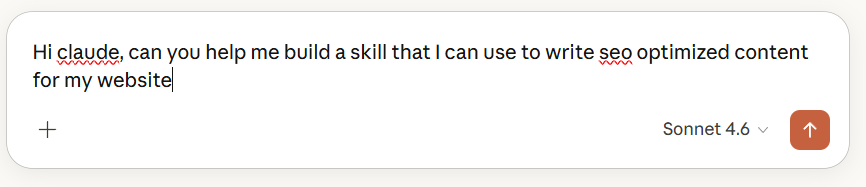
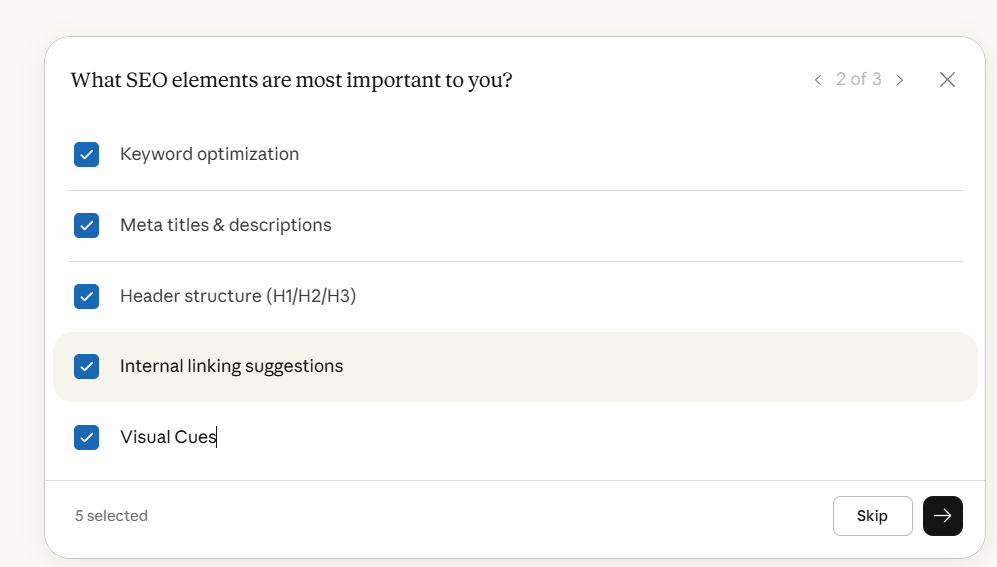
Claude asked three things upfront: what type of content (blog articles), which SEO elements mattered most (keyword optimization, meta data, headers, internal linking, visual cues), and whether the skill should handle full drafts, outlines, or optimization of existing content.
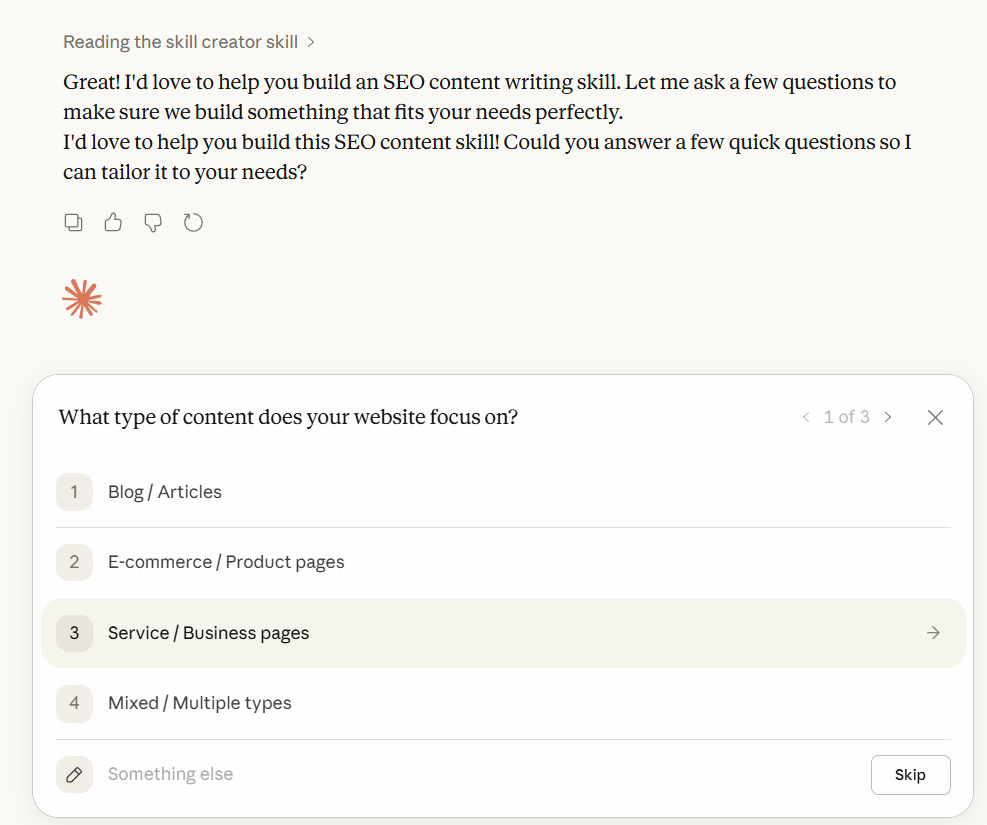
Those three questions shaped the entire skill. The answers told Claude what stages to include in the workflow, what rules to encode, and what reference files to bundle alongside the main instruction file.
Then it asked about voice and audience.
For the AI content niche skill, this was the more important conversation. Claude asked who the primary audience was, what the tone should be, and whether the content should always include a “so what for developers” angle. It also asked to see existing published posts from the blog — and used those to identify the actual writing patterns already present: fully developed paragraphs, context before conclusions, technical language used precisely, real-world grounding in named incidents.
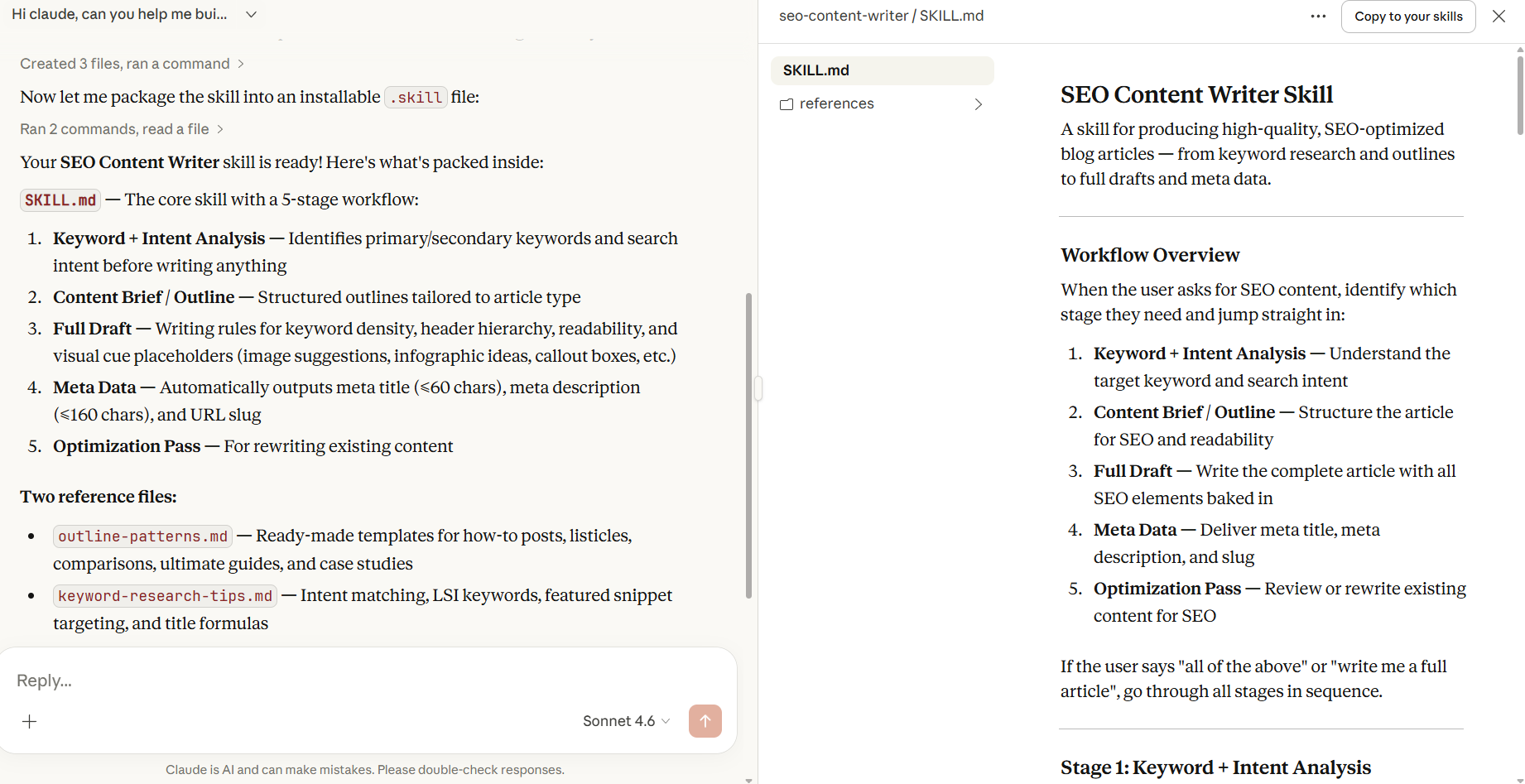
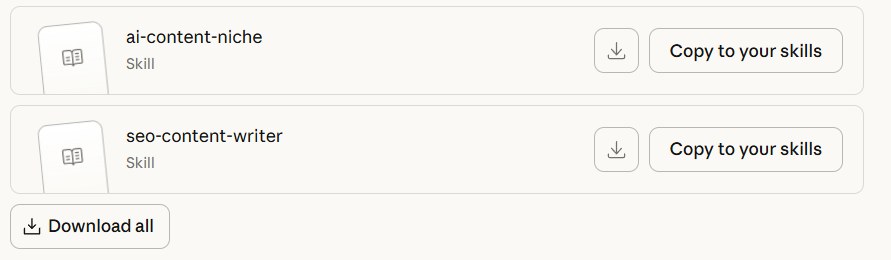
Once the conversation was done, getting the skill installed took one click. Claude has a built-in “Copy Skill” button that packages everything into a .skill file ready to upload directly into Claude’s settings.
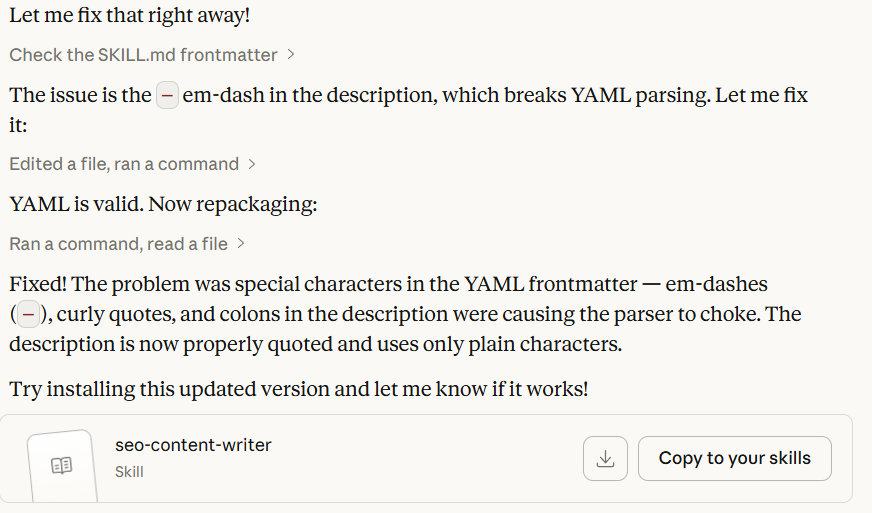
There was one hiccup along the way, a YAML formatting error in the frontmatter caused by special characters in the description field but Claude caught it, explained what broke, and fixed it in the same conversation. No external tools, no manual editing, no debugging a config file at 11pm.

The point is this: the conversation is the skill-building process. You don’t need to know how YAML works or what progressive disclosure means. You need to know what good output looks like for your specific workflow, and be willing to describe it and correct it when the first draft isn’t right.
If you want to replicate this for your own content workflow, start here:
Claude will ask the right questions. The skill gets built in the conversation.
What the Pipeline Looks Like in Practice
Once the skills are installed, the workflow is a single conversation.
You drop in a topic and your angle — two sentences on what you actually think about it, which the niche skill explicitly asks for before drafting anything. Claude builds the outline using the SEO skill’s structure, drafts the full article in your voice with meta data and visual cue placeholders included, and then generates the LinkedIn post from the same piece using the short-form skill’s format rules.
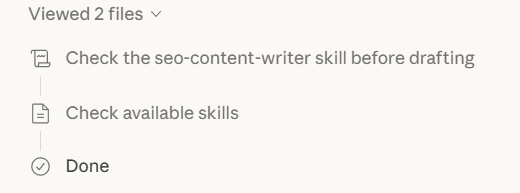
The output that used to require multiple separate sessions, write prompt, get generic draft, correct the voice, add the SEO layer, write the meta separately, figure out the LinkedIn angle, happens in one conversation because the standards are already encoded.
The claude skills handle the structure. The SEO rules. The meta data. The tone. The things that should be consistent across every piece but aren’t when you’re explaining them fresh every time. What’s left for you is the part that actually matters: having a point of view on the topic.
The One Thing Claude Skills Can’t Do
Claude skills don’t fix the input problem. If you don’t have an angle on the topic — a real take, something you’d push back on, something you find underrated or overrated — Claude skills cannot invent one for you. It can produce a well-structured, properly formatted, SEO-optimized article that reads like a confident summary of what already exists. That’s not the same thing as a piece that earns a developer’s attention.
Frequently Asked Questions
Do I need Claude Code to use skills?
No. Skills work in Claude.ai directly. You build or download the skill folder, zip it, and upload it through Settings → Capabilities → Skills. Claude Code has its own skills directory for terminal-based workflows, but the skills in this pipeline are built for Claude.ai.
Can I install Claude skills someone else built?
Yes. Claude skills are portable — they’re just folders with a SKILL.md file and optional reference files. Anyone can share them as a .skill file (a zipped folder), which you upload directly in settings. The three claude skills in this pipeline are available as downloadable files.
How many skills can I run at once?
Multiple skills can be active simultaneously. Claude loads only the ones relevant to the current task, so having several installed doesn’t mean all of them are loaded for every message. The progressive disclosure system keeps the context window clean.
Will skills work across different conversations?
Yes. Unlike instructions given in a conversation, which disappear when the session ends, skills persist across all conversations. That’s the core of what makes them different from prompts — you define the standard once and it applies everywhere going forward.
Conclusion
The content pipeline exists. The skills are built. What’s left is the part that was always the hard part: having something worth saying about the topic.
The developers and content teams getting the most out of Claude aren’t better prompters. They built their standards into skills once, and now the consistency, the structure, and the formatting happen automatically. The energy goes into the thinking — the angle, the opinion, the observation that only comes from someone who has actually worked with the thing they’re writing about. And if you want to take this even further, Claude Code can run the whole pipeline from your phone.
Most people are still having the same conversation with Claude every time. Claude skills are how you stop doing that.
Ready to build robust and scalable LLM Applications?
Explore our LLM Bootcamp and Agentic AI Bootcamp for hands-on training in building production-grade retrieval-augmented and agentic AI.